 Teum
Shift work · Shared calendar
See each other's
shifts on one
shared calendar
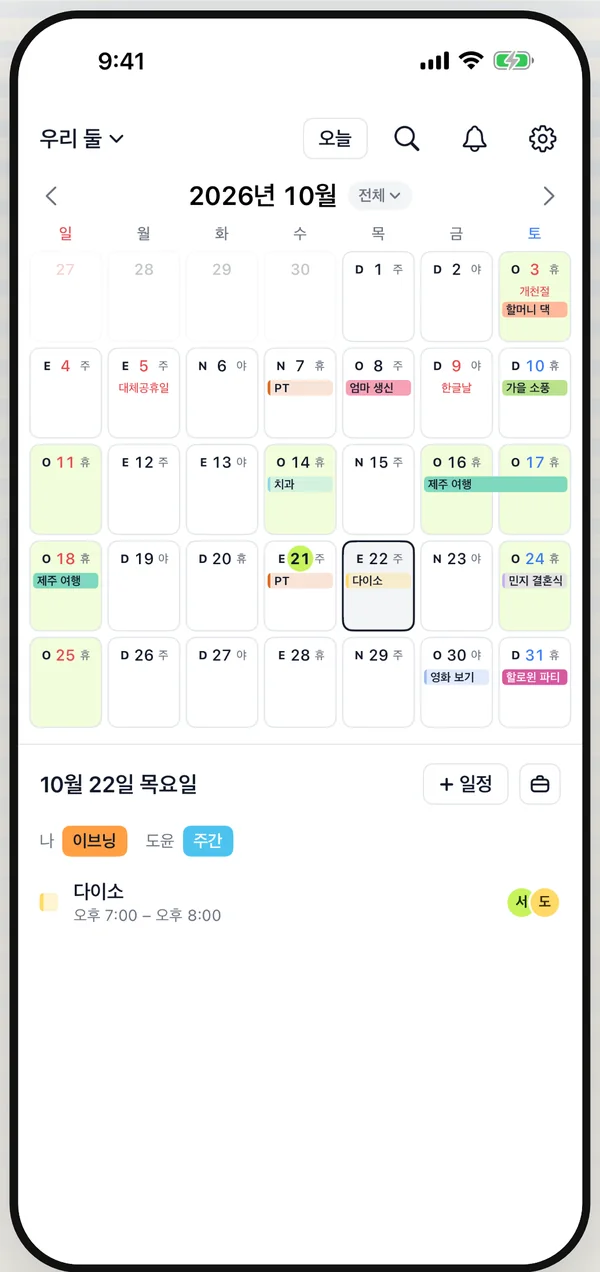
One invite code brings your family, partner or friends into the same calendar. Tap your shifts in as chips, and the days you are both off turn light green.


iPhone · iOS 17+ · Android 8.0+
Free. Sign up with a Kakao, Google or Apple account. The app interface is in Korean.
What you can do
Swipe for more
Shift alarms
Set an alarm time on each shift chip and your device alarm rings on every day with that shift. Tap a date to turn it off for that day only.
Works on all Android devices; iPhone needs iOS 26 or later.
How sharing works
- Create a calendarKeep one for each group: the two of you, family, friends.
- Send the invite codeA 6-character code works for 24 hours and for several people.
- See the same calendarMark an event 'only me' and only you will see it.
A good fit if you
- want to line up plans with friends, family or a partner on one calendar
- work shifts and need to find days off with your family
- are tired of copying a monthly roster into a calendar by hand
- want today's events on a home-screen widget
- want to use it without an account (it is a shared calendar, so sign-in is required)
- need two-way sync with Google Calendar or iCloud (importing from the phone's calendars goes one way, into Teum)
- want to use it in a web browser or on a PC (it is app-only)
- need an interface in a language other than Korean
At a glance
- Category
- Shared calendar and shift-schedule (shift-work calendar) app
- Devices
- iPhone (iOS 17 or later) · Android (8.0 or later). Shift alarms on iPhone need iOS 26 or later
- Price
- Free
- Sign-in
- A Kakao, Google or Apple account, or an ID and password
- Language
- Korean only (public holidays are South Korea's). The app's name in Korean is 틈
See all features
A calendar you share
- Create a calendar and send a 6-character invite code; whoever enters it joins the same calendar. Any member can create a code; it works for 24 hours and for several people. One person can belong to several calendars.
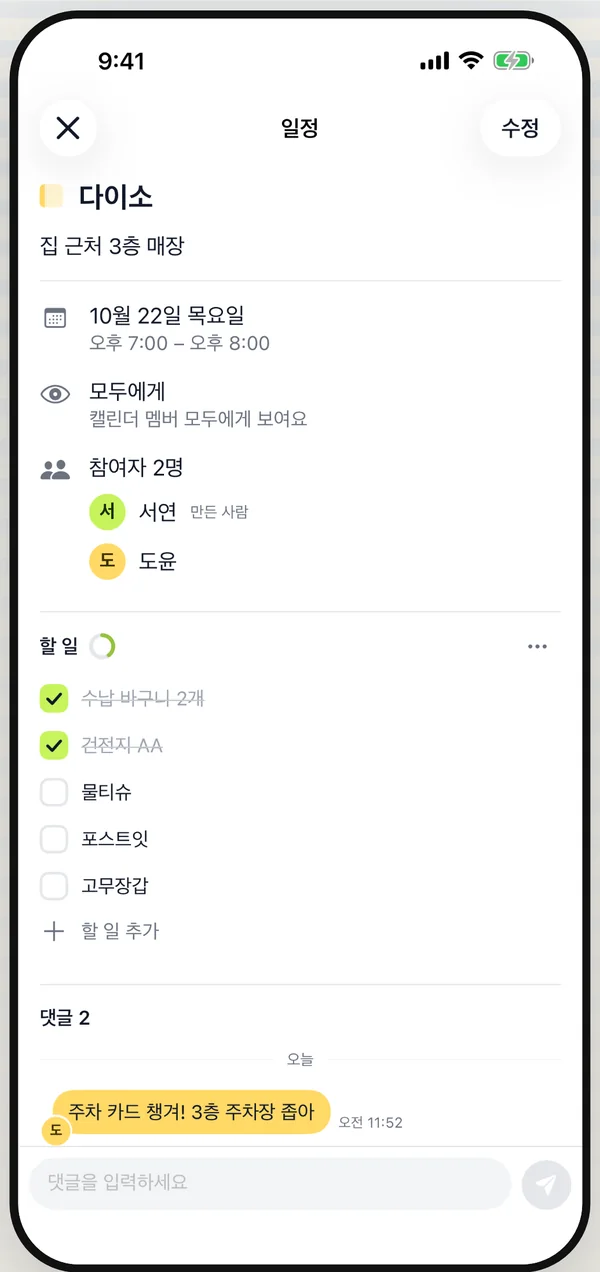
- Pick participants for each event, and mark an event 'only me' to keep it private.
- Repeating events (weekly, monthly, yearly, with an end date), all-day and timed events, tags (up to 10 per event) to find past events, and a to-do checklist inside each event.
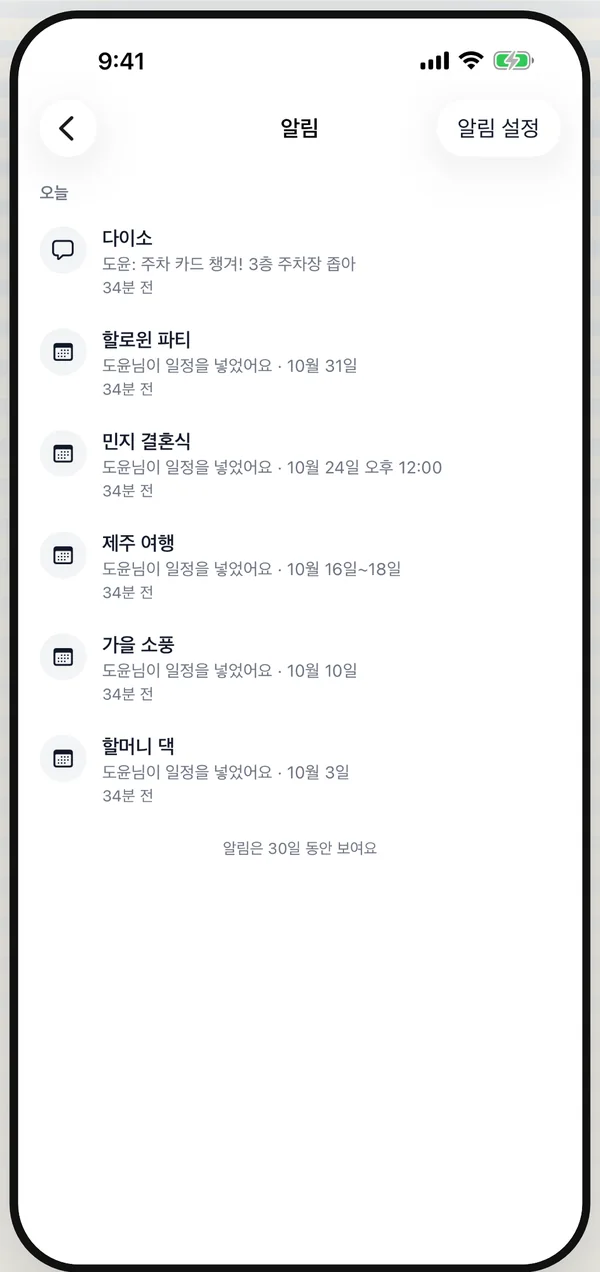
- Members talk in comments inside an event. New comments, participation requests and changes arrive as notifications, kept in an inbox for 30 days. You are also reminded of upcoming events (all-day events at 9 a.m. that day, timed events one hour before).
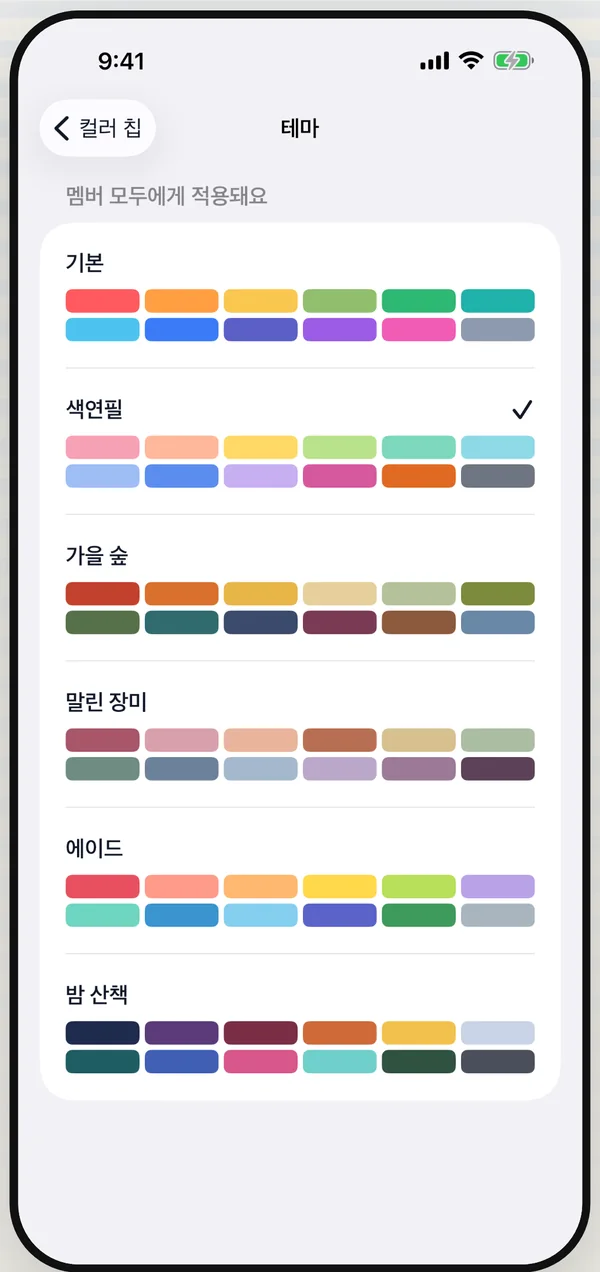
- Six colour themes (each with 12 colours). Choosing a theme applies it to every member of the calendar.
- South Korean public holidays (including substitute and temporary holidays) are shown. You can import events from other calendars on your phone, or keep them synced automatically (one way, phone → Teum).
Shift schedule
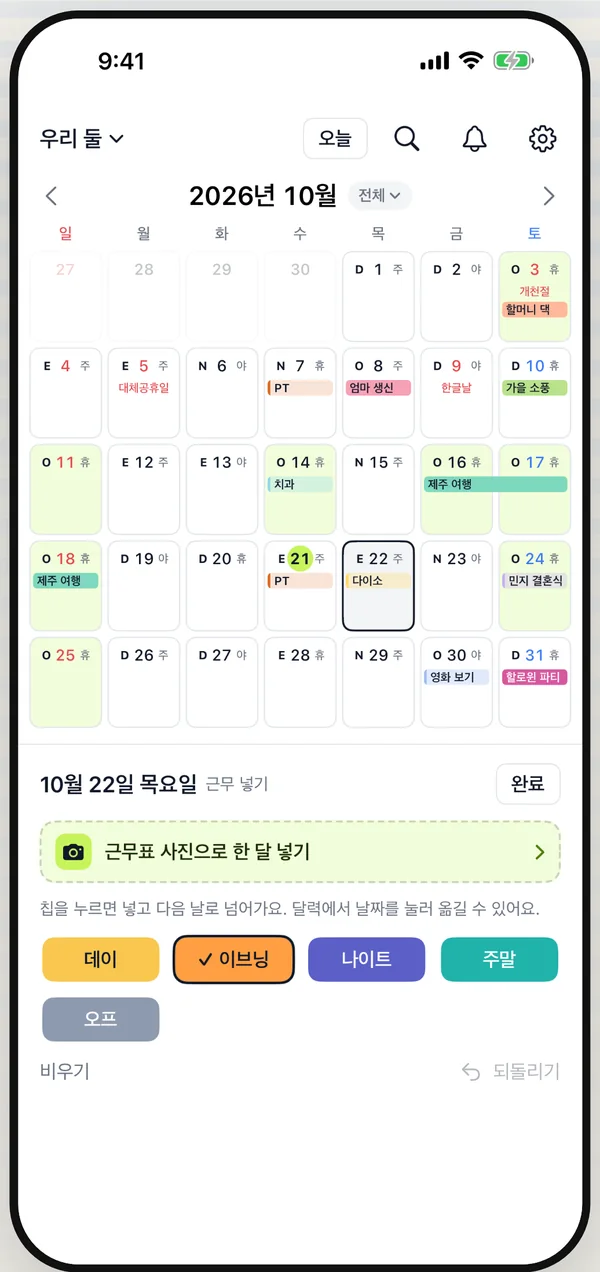
- Create chips for your shifts (day, evening, night, off) and tap them onto dates. Shifts appear to the other members like ordinary events, so your family or partner sees your roster on the same calendar. Days you are both off turn light green.
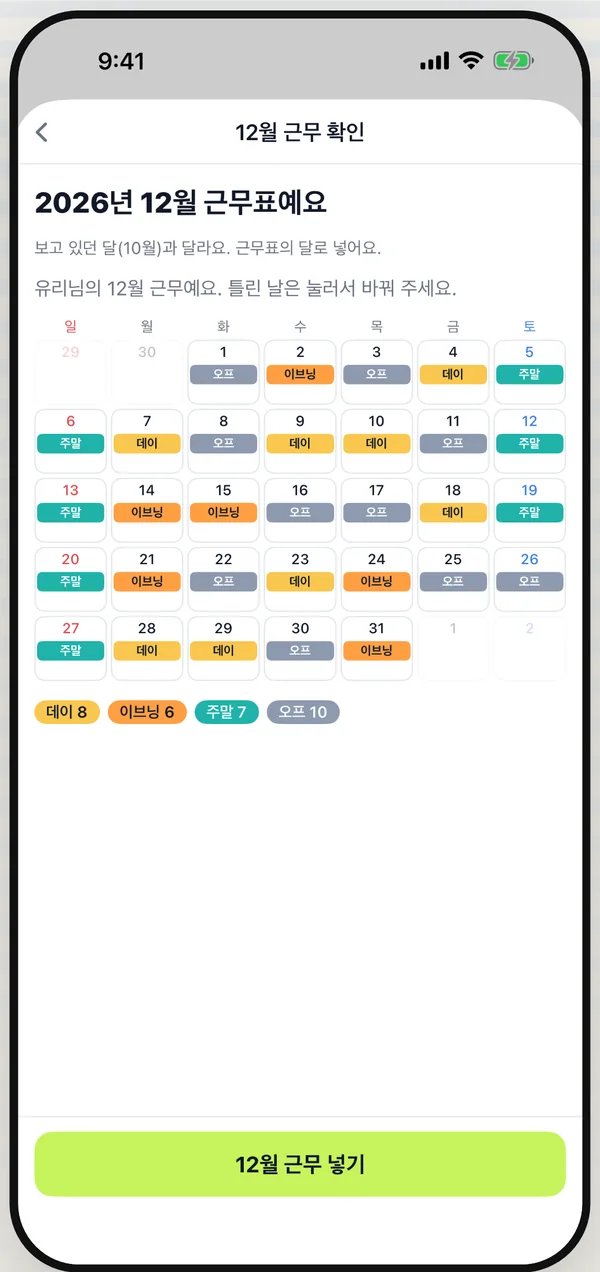
- Fill a month from a photo: take or pick a photo of your roster (paper or a screenshot from another app) and AI reads it, picks out your shifts and fills the whole month. Uncertain days are flagged so you can fix them before saving. Up to 5 reads a day, only after you consent; the photo is sent to OpenAI for reading and is not stored.
- Shift alarms: set an alarm time on a shift chip and your device alarm rings on every day with that shift. Tap a date to turn it off for that day only (iPhone: iOS 26 or later).
- Share your roster as an image: turn a month into a single picture (1080×1350) to send in a messenger, highlighting particular shifts or the days with neither shifts nor events.
- Shifts take comments, notes and tags just like ordinary events.
Home-screen widgets
- A today widget (today's events), a week widget (a chip per day; tap a date to open it) and a month widget (the calendar).
- On Android you can style widgets — text colour, background opacity, chip fill and corner radius — with a live preview.
Frequently asked questions
What is Teum?
Teum (틈) is a shared calendar app for seeing each other's shifts and plans on one calendar. One invite code brings family, a partner or friends into the same calendar. It has a shift schedule you fill by tapping chips, AI reading of roster photos to fill a month at once, shift alarms and home-screen widgets. It runs on iPhone and Android.
Is it free?
Yes, the app is free.
Do I need to sign in?
Yes. Several people look at the same calendar, so an account is required. Sign up instantly with a Kakao, Google or Apple account, or create an ID and password.
How do I share a calendar?
Create an invite code (6 characters) in settings and send it; the other person enters it in the app and joins the same calendar. A code works for 24 hours and for several people.
Can everyone see all my events?
By default an event is visible to the members of that calendar; an event marked 'only me' is visible to you alone. Each calendar has its own members, so you can keep separate calendars for family and friends.
How does reading a roster photo work, and where does the photo go?
The photo is sent to AI (OpenAI) to read the table; your name and shift codes (such as D, E, N) are matched to your shift chips, and only your shifts are added. Neither the photo nor the table it read is stored on the server, and you are asked for consent the first time. Up to 5 reads a day.
Which devices support shift alarms?
All Android devices, and iPhones on iOS 26 or later (it uses the system alarm). Set an alarm time on a shift chip and it rings on every day with that shift.
Where can I download it?
On the App Store for iPhone and on Google Play for Android — search for 틈, or use the buttons on this page.
Is it available in English?
Not yet. The app interface is in Korean only.
How do I delete my data?
Delete your account from the app's settings; the account, events and photos are permanently deleted 24 hours later. See the account deletion guide and privacy policy (in Korean) for details.
What does “Teum” mean?
Teum (틈) is a Korean word for a gap or a spare moment. The idea is to line up each other's free moments, in between busy days, on one calendar.